Disclosure: This post contains affiliate links. As an Amazon Associate, we earn from qualifying purchases at no extra cost to you. All picks are independently selected based on performance, build quality, and utility.
🛒 Quick Links — Shop All 5 Picks
- 📷 Logitech C920s HD Pro Webcam — The webcam that makes built-in laptop cameras look embarrassing
- 💡 Quntis Monitor Light Bar — Asymmetric beam lighting that hits your desk without touching your screen
- 🖥️ HUANUO Single Monitor Arm — Full-articulation arm that frees your entire desk surface in 20 minutes
- 💻 Nexstand K2 Laptop Stand — The stand that collapses to the width of a ruler and holds your screen at eye level
- 💾 SanDisk 256GB Ultra Dual Drive Luxe USB-C — Simultaneous USB-C and USB-A access on a drive the size of a house key
Your employer sees your video feed before they see your work.
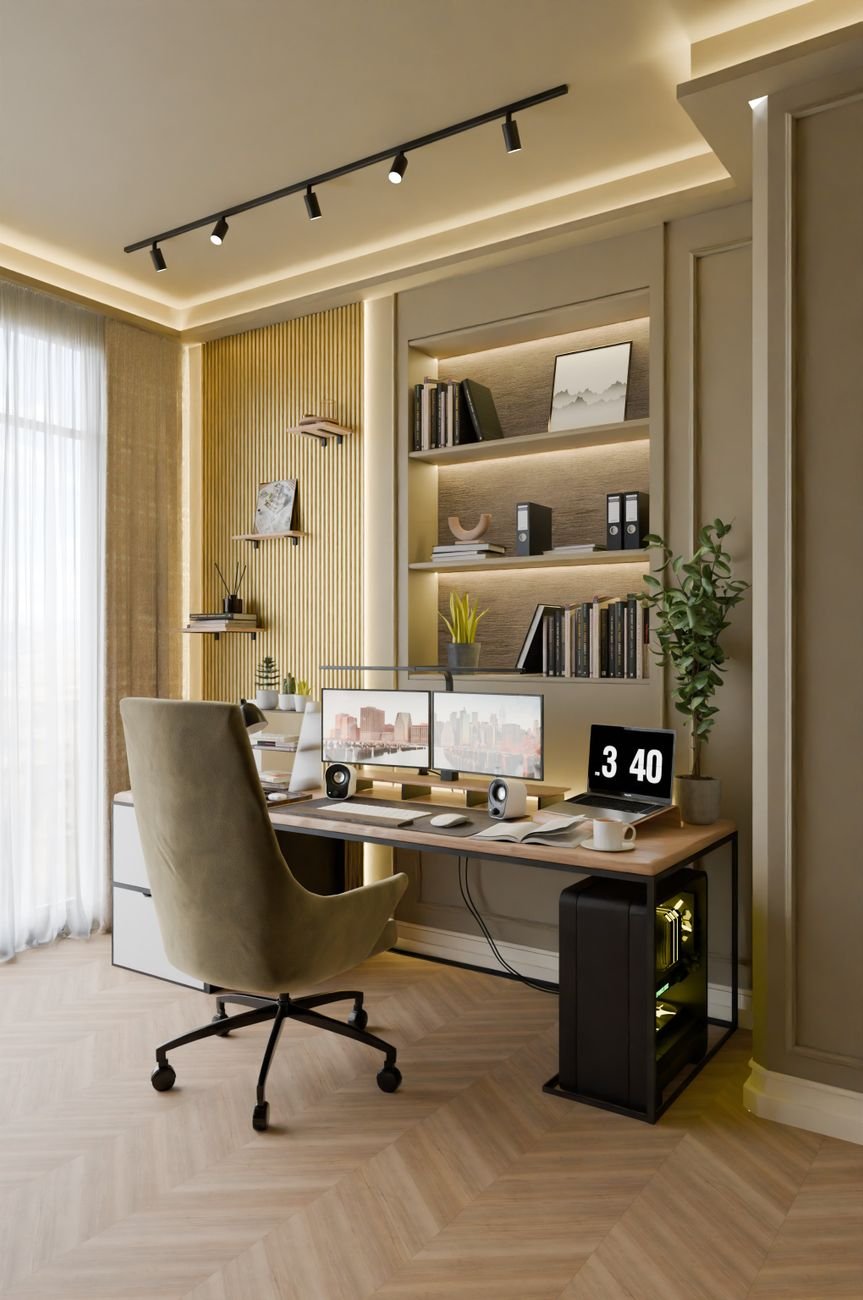
A pixelated webcam, a monitor sitting four inches too low, a laptop propped on a book, and a desk lamp aimed directly at your screen — these are the signals that separate a setup that says “I’m making do” from one that says “I take this seriously.” And every single one of them is fixable for under $200 total.
These five upgrades are available on Amazon, consistently well-reviewed, and chosen because each one solves a specific, visible problem in a WFH setup. Start with your biggest friction. The difference is immediate.
⚡ Our Quick Picks: Top 3 At a Glance
- Best Overall: Logitech C920s HD Pro Webcam — Captures 1080p at 30fps with dual omnidirectional microphones, autofocus, and automatic light correction that makes you look competent on video calls without adjusting a single setting.
Check Price on Amazon - Best Under $40: HUANUO Single Monitor Arm — A full C-clamp VESA monitor arm that mounts without drilling, swivels 360 degrees, and clears the entire monitor base footprint off your desk surface in a single install.
Check Price on Amazon - Best for Video Call Lighting: Quntis Monitor Light Bar — An asymmetric-beam LED bar that illuminates your desk and face from above while projecting zero light onto the monitor screen — no glare, no reflections, no camera washout.
Check Price on Amazon
1. Logitech C920s HD Pro Webcam — The Baseline Every WFH Setup Needs
A built-in laptop webcam is positioned below eye level, captures at a wide distorting angle, and applies aggressive noise reduction that makes skin tones look like watercolor. The Logitech C920s is none of those things. It shoots 1080p Full HD at 30fps through a 78-degree glass lens, which is wide enough to capture your head and shoulders in a natural frame without the fisheye distortion that cheaper webcams apply at wide fields of view. The result is a video image that reads as broadcast-quality in the context of a standard video call — because the lens is glass, not plastic, and the sensor is 15 megapixels rather than the 2-megapixel unit in a typical laptop lid.
Two built-in omnidirectional microphones are tuned for voice intelligibility at a desk distance of roughly 24 to 36 inches. They reduce ambient noise from HVAC systems, keyboards, and background sound without the artificial dulling that single-mic webcams apply to compensate for directional sensitivity. Automatic light correction analyzes the ambient light in real time and adjusts exposure and white balance so that your face doesn’t wash out in front of a bright window or go dark in a poorly lit room — a feature typically found on webcams at double the price. A physical privacy shutter slides over the lens when not in use, providing a mechanical guarantee that the camera is off rather than relying on software indicators alone.
Setup is plug-and-play over USB-A, compatible with Windows and macOS, and requires no driver installation. The adjustable clip accommodates monitors from 0.6 to 2.2 inches thick and sits securely on laptop lids, monitor tops, and standard tripod threads. Logitech’s C920 series has been one of the most consistently recommended webcams across tech publications for several years — the C920s adds the privacy shutter to the original’s already-proven optical package without changing anything that already worked. Well-regarded by Tom’s Guide, TechRadar, and PCMag as a top budget-to-midrange pick.
Key Specs:
- Resolution: 1080p Full HD at 30fps; 720p at 30fps
- Field of view: 78 degrees — glass lens, 15MP still capture
- Microphones: Dual omnidirectional with ambient noise reduction
- Privacy: Physical sliding lens shutter — mechanical, not software-dependent
View Logitech C920s Details Here
2. Quntis Monitor Light Bar — The Lighting Upgrade That Costs Less Than a Table Lamp
Overhead ceiling lights aimed at a monitor create glare. A desk lamp aimed at your face creates a hot spot in the camera frame. The Quntis monitor light bar sits on the top edge of your monitor and solves both problems with one design decision: the LED beam is asymmetrically angled downward at roughly 37 degrees, projecting light onto the desk surface and keyboard in front of you while emitting nothing toward the screen behind it. No glare. No reflections. No camera washout from a light source in the frame. The illumination reads as even, flattering fill light for video calls without any additional equipment.
The light bar spans 15.7 inches and mounts via a weighted counterweight clip that hooks over the monitor’s top bezel — no adhesive, no screws, no tools. It powers from a USB-A port on the monitor or a USB wall adapter, routing a single cable directly up the monitor stand so there’s nothing new lying on the desk surface. Color temperature adjusts between 3000K warm amber and 6000K cool daylight across five steps, with five brightness levels per temperature — 25 combinations controllable from a touch-sensitive dial on the right end of the bar. An auto-dimming sensor mode reads ambient light and adjusts automatically without manual intervention.
Certified to meet IEC/TR 62778 and IEC/EN 62471 blue light and flicker-free standards — relevant for users logging more than four hours per day at a screen. The Quntis light bar consistently appears on roundups from BGR, Best Office Finds, and desk setup communities as the highest-value monitor light at its price point, specifically cited for matching the core functionality of the BenQ ScreenBar at a meaningfully lower cost. Compatible with flat and gently curved monitors; not recommended for monitors with a bezel thinner than 0.5 inches.
Key Specs:
- Length: 15.7 inches — spans most standard 24 to 27-inch monitors
- Beam angle: Asymmetric downward projection — no light emitted toward screen
- Color temperature: 3000K–6000K in 5 steps; 5 brightness levels per step
- Certifications: IEC/TR 62778 and IEC/EN 62471 — flicker-free, low blue light
View Quntis Monitor Light Bar Details Here
3. HUANUO Single Monitor Arm — Free Your Entire Desk in 20 Minutes
A monitor on its stock stand occupies a fixed footprint of roughly 8 to 10 inches deep on the desk surface. That space is permanently committed — no keyboard storage underneath, no clean desk behind it, no ability to move the screen without physically relocating the entire stand. A monitor arm eliminates that footprint entirely, clamping to the desk edge and suspending the screen from an articulated arm that positions it at any height, angle, or depth with no surface contact. The HUANUO single monitor arm is one of the most consistently recommended budget arms on Amazon, cited in BGR’s WFH roundup and Best Office Finds’ 2026 desk accessories guide for delivering full articulation without the installation complexity or price of premium options like Ergotron.
The C-clamp base mounts to desks up to 3.15 inches thick without drilling and supports panels from 13 to 32 inches, rated for displays between 4.4 and 19.8 lbs — covering virtually every consumer monitor currently sold. The arm provides full swivel, tilt, and 360-degree rotation at the VESA mount head, with gas spring tension adjustable via a single recessed screw at the joint. Cable management clips are integrated into the arm’s length, routing the monitor cable from the head to the desk clamp in a single guided channel that disappears from view. Height adjustment range is 16.5 inches — enough vertical travel to go from seated to standing desk heights without reconfiguring anything.
The installation process: mount the C-clamp, thread the vertical post into the clamp receiver, attach the arm to the post, mount your monitor via the VESA adapter plate (75×75mm or 100×100mm, both included), and route the cable. Most users report the full process takes 15 to 25 minutes. The arm holds its set position without drift under normal use — a common failure point on cheaper arms that soften over time. HUANUO’s FlowLift model in particular received a positive feature review from YouTuber Chase Brogan, who cited it as the cost-effective upgrade he wished he’d made earlier in his WFH setup.
Key Specs:
- Monitor compatibility: 13–32 inch panels, 4.4–19.8 lbs
- VESA compatibility: 75×75mm and 100×100mm (both adapters included)
- Desk clamp range: Up to 3.15 inches thick — no drilling required
- Height adjustment travel: 16.5 inches — accommodates seated and standing desk use
View HUANUO Monitor Arm Details Here
4. Nexstand K2 Laptop Stand — Eye-Level Screen Height That Collapses to Nothing
A laptop on a flat desk positions the screen 6 to 8 inches below eye level. Looking down at that angle for four hours compresses the cervical spine forward. The Nexstand K2 raises the laptop display to an ergonomically neutral eye-level position — and then folds flat to a profile of 15 inches long and 0.6 inches thick when you’re done. It weighs 220 grams, which is lighter than most smartphones with a case, and slides into the sleeve pocket of any laptop bag without occupying meaningful packing space. It’s the stand recommended by bestofficefinds.com and the wider digital nomad community specifically for users who move between locations — a hotel room, a coffee shop, a co-working space — and need a consistent ergonomic setup everywhere.
The stand supports laptops from 10 to 17 inches and holds up to 22 lbs — above the weight of any consumer laptop currently sold. Height is adjustable to six positions between 4.3 and 8.3 inches, which covers both standard desk seated heights and standing desk configurations. The polycarbonate frame has no moving pivots or hinges that soften under load — it locks into position via interlocking side clips that click audibly and hold rigidly under typing pressure without any flex or lateral movement. Non-slip rubber feet contact the desk at four points, preventing creep under aggressive keyboard use.
When used with an external keyboard and mouse — a Keychron K2 or a Logitech MX Master 3S, for instance — the Nexstand K2 effectively converts a laptop into a desktop-quality ergonomic setup that fits in a carry-on bag. The combination of near-zero pack weight and legitimate rigidity is the specific reason it’s differentiated from cheaper foldable stands that wobble under load. Consistently available on Amazon in matte black and silver, with a documented record of recommendation across remote work gear guides at multiple publications.
Key Specs:
- Folded dimensions: 15″ L × 0.6″ profile — fits in a laptop sleeve side pocket
- Weight: 220 grams (7.7 oz) — lighter than most smartphones with a case
- Height range: 6 adjustable positions from 4.3 to 8.3 inches
- Load rating: Up to 22 lbs — covers every consumer laptop currently sold
View Nexstand K2 Laptop Stand Details Here
5. SanDisk 256GB Ultra Dual Drive Luxe USB-C — The Drive That Works With Every Device You Own
A standard USB-A flash drive doesn’t fit a MacBook. A USB-C flash drive doesn’t fit an older desktop. The SanDisk Ultra Dual Drive Luxe has both connectors on opposite ends of the same drive — swivel the cap one direction to expose USB-C, the other to expose USB-A. No adapters. No separate drives. One unit that covers every port configuration you encounter in a given work week, from a USB-C MacBook Air at home to a USB-A desktop at a client’s office to a tablet for a presentation. The zinc alloy casing is 1.6 inches long and 0.6 inches wide — smaller than a standard house key — which makes it appropriate for permanent attachment to a keychain or lanyard clip.
Read speeds reach up to 400MB/s on a compatible USB 3.2 Gen 1 port, which transfers a 4GB video file in roughly 10 seconds and a 256GB full backup in under 15 minutes. Write speeds vary by use case but are significantly faster than the 2.0 standard that older drives operate on. The zinc alloy housing does not flex or deform under normal bag and pocket pressure, distinguishing it from the plastic-bodied budget drives that crack at the connector point after a few months. SanDisk’s proprietary backup software is pre-loaded and available via the drive without a download — relevant for users who want scheduled automatic backups without cloud subscription fees.
The 256GB capacity handles a full working document library, a photography archive, project files, and a system backup simultaneously — making it genuinely useful as a portable working drive rather than a file-transfer accessory. Available in capacities from 32GB to 1TB; the 256GB model is consistently the most purchased configuration, sitting at the intersection of useful capacity and accessible price. TechRadar included the SanDisk Ultra Dual Drive Luxe in its Amazon office upgrade coverage as a recommended peripheral for hybrid workers moving between USB-A and USB-C workstations.
Key Specs:
- Connectors: USB-C and USB-A on opposite ends — single swivel body, no cap to lose
- Read speed: Up to 400MB/s on USB 3.2 Gen 1 host
- Housing: Zinc alloy — rigid, does not flex or crack at connector points
- Dimensions: 1.6″ L × 0.6″ W — keychain-compatible form factor
View SanDisk Dual Drive Luxe Details Here
📋 All 5 Upgrades — Fast Reference
| Product | What It Fixes | Install Time | Best For |
|---|---|---|---|
| Logitech C920s Webcam | Pixelated, poorly lit video calls | 2 minutes — plug and play | Remote workers, hybrid employees |
| Quntis Monitor Light Bar | Screen glare, poor desk lighting | 1 minute — counterweight clip | Long-hours desk workers, late-night setups |
| HUANUO Monitor Arm | Fixed monitor height, wasted desk space | 15–25 minutes — C-clamp install | Desk-space-limited setups, ergonomic adjusters |
| Nexstand K2 Laptop Stand | Screen below eye level, neck strain | 30 seconds — unfold and place | Nomadic workers, home office and travel |
| SanDisk Dual Drive Luxe 256GB | No single drive works across all ports | Instant — plug and use | Hybrid workers, Mac and PC cross-users |
Final Verdict
A professional WFH setup is not built in one purchase — it’s built in five small, specific decisions that each address one visible weakness. The webcam is the most urgent fix if you’re on video calls daily; the monitor arm is the most transformative if desk space is the bottleneck.
Pick the one that describes your biggest frustration right now and start there — the rest can follow in whatever order makes sense for your setup.
Also, be sure to check out our article covering Desk Upgrades to further enhance your setup!
One response to “Work-From-Home Office Upgrades”
[…] Looking for more modern tech? Check out our article detailing the best work from home desk accessories! […]