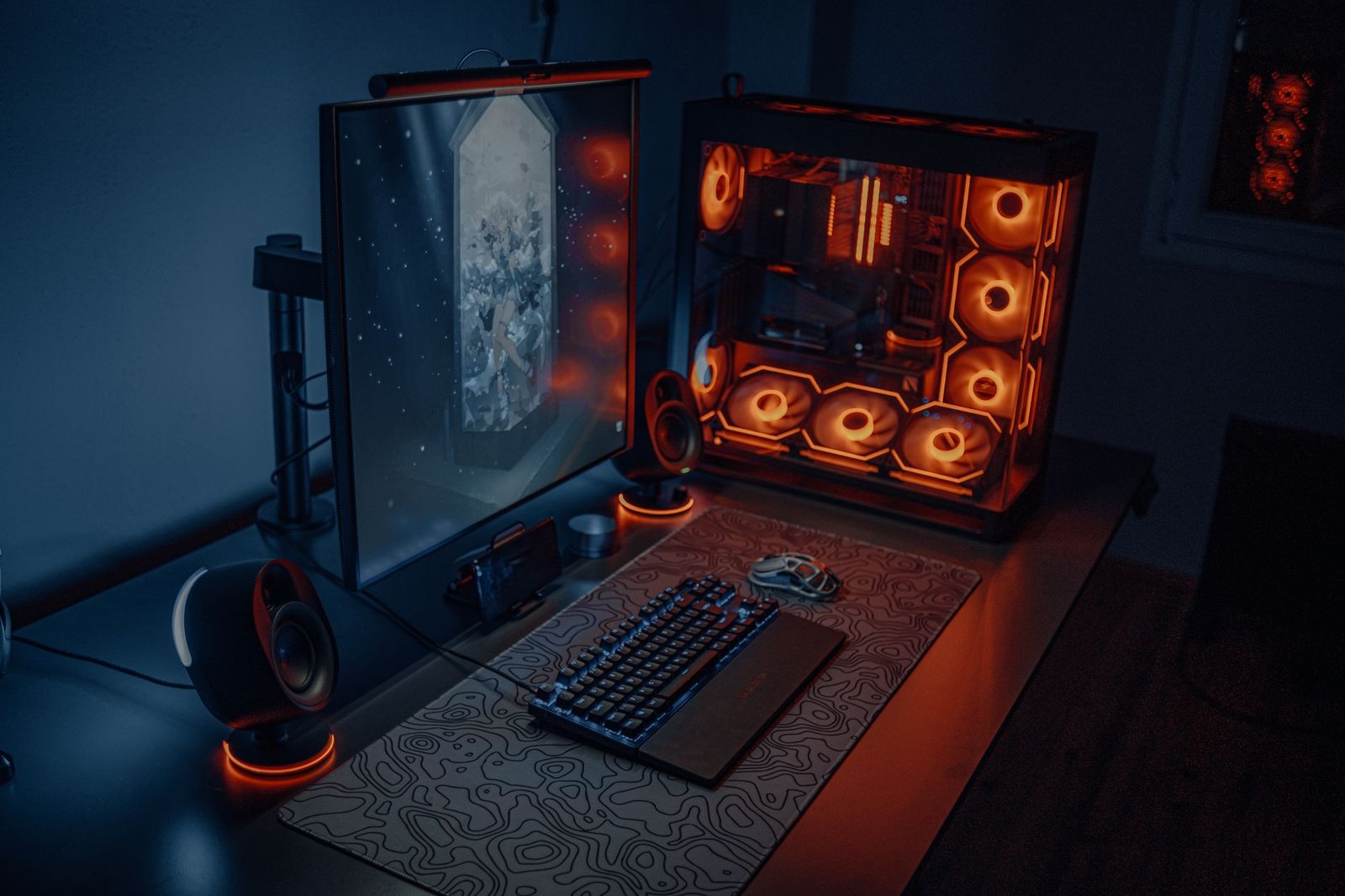
Disclosure: This post contains affiliate links. As an Amazon Associate, we earn from qualifying purchases at no extra cost to you. All products are independently selected based on performance, build quality, and community consensus — not commission rates.
🛒 Quick Links — Shop All 5 Picks
- 🎙️ HyperX QuadCast S USB Microphone — Four polar patterns, tap-to-mute, and RGB — the mic that shows up in every serious streamer’s setup photo
- 🎧 SteelSeries Arctis Nova Pro Wireless — Simultaneous 2.4GHz and Bluetooth, hot-swappable battery, and certified Hi-Res Wireless audio
- 🖱️ Razer DeathAdder V3 HyperSpeed — 90-hour wireless battery life in a 59g ultralight shell, with Focus Pro optical sensor tracking at up to 30,000 DPI
- 🖱️ SteelSeries QcK XXL Mousepad — A 35.4″ × 15.8″ desk-wide cloth surface that eliminates every hard edge your mouse can fall off
- 🎛️ Elgato Stream Deck MK.2 — 15 programmable LCD keys that replace every alt-tab, hotkey, and scene switch during a live session
Your audience hears your microphone before they hear what you’re saying.
And they feel your mouse before they register your aim. The gap between a setup that performs and one that merely exists comes down to five specific pieces of hardware — each one targeting a single measurable weakness that holds back both the experience and the output. No RGB strips. No cable raceways. The actual peripherals that change how a session sounds, feels, and runs.
These five picks are available on Amazon, consistently praised across PC Gamer, Tom’s Guide, GAMES.GG, and the wider streaming community, and chosen because each one is the kind of purchase that ends the category question permanently.
⚡ Our Quick Picks: Top 3 At a Glance
- Best Overall: HyperX QuadCast S — Three 14mm condenser capsules delivering four switchable polar patterns in a self-contained USB mic that requires no audio interface, no mixer, and no companion hardware to sound professional.
Check Price on Amazon - Best Headset: SteelSeries Arctis Nova Pro Wireless — The only gaming headset with a hot-swappable dual-battery system that eliminates dead-battery interruptions mid-session, paired with 40mm neodymium drivers certified for Hi-Res Wireless audio by the Japan Audio Society.
Check Price on Amazon - Best for Streamers: Elgato Stream Deck MK.2 — Fifteen physical LCD buttons that each display a custom icon and trigger any macro, scene switch, sound effect, or application shortcut with a single press — no memorized hotkeys, no alt-tabbing out of a live game.
Check Price on Amazon
1. HyperX QuadCast S — The Mic That Ended the “What Are You Using?” Question
A headset microphone picks up everything in the room and compresses it into a flat, tinny voice signal. The QuadCast S is a large-diaphragm USB condenser microphone — not a headset boom, not a lapel clip, not a repackaged conference call accessory. Three 14mm condenser capsules sit inside the spherical mesh housing, arranged to capture audio through four selectable polar patterns: cardioid (front-facing, most common for solo streaming), omnidirectional (full room, for podcasting or panel discussions), bidirectional (front and rear, for two-person interviews), and stereo (split-channel music recording). Switching between them requires rotating a physical selector at the base — no software, no menu navigation, no reboot.
The tap-to-mute sensor sits flush with the top of the housing. One contact mutes the microphone and dims the LED indicator to a visual off-state visible from across the room. Unmute with the same tap. The integrated shock mount is built into the frame rather than added as a clip-on accessory — it isolates the capsules from desk vibration, keyboard impact, and low-frequency rumble transmitted through the desk surface. This matters in a gaming context where mechanical keyboard use and desk-surface contact happen constantly in the same session. An internal pop filter sits between the capsule array and the mesh grille, handling plosive consonants without a physical foam windscreen obstructing the aesthetic.
The QuadCast S connects via USB-C to USB-A cable and is recognized as a standard audio device on Windows, macOS, and PS4/PS5 without driver installation. HyperX NGENUITY software controls the RGB lighting — a full 16.8 million color spectrum in static, breathing, and reactive modes — and synchronizes with the broader iCUE/Corsair ecosystem if that’s the direction your peripherals go. NearStream’s 2026 USB microphone guide ranks it among the highest-performing plug-and-play condenser options available, noting that its cardioid pattern captures “clear, warm vocals” at the desk distances typical of a gaming session.
Key Specs:
- Capsules: 3 × 14mm condenser — four selectable polar patterns via physical dial
- Frequency response: 20Hz–20kHz across all four polar patterns
- Connection: USB-C to USB-A; plug-and-play on Windows, macOS, PS4/PS5
- Mount: Integrated internal shock mount + internal pop filter — no external accessories required
View HyperX QuadCast S Details Here
2. SteelSeries Arctis Nova Pro Wireless — The Headset That Solved Battery Anxiety
Wireless gaming headsets have one universal failure mode: the battery dies at the worst possible moment. The SteelSeries Arctis Nova Pro Wireless resolves this at the hardware level with a dual-battery hot-swap system — two batteries ship in the box, one seated in the headset and one charging simultaneously in the base station. When the active battery depletes, eject it, insert the charged one, and resume within 10 seconds. Continuous play is not a marketing claim here; it’s a mechanical fact of the two-battery rotation. Each battery provides approximately 22 hours of use at moderate volume, making the theoretical session limit the point at which you choose to stop — not the point at which the headset makes the decision for you.
The drivers are 40mm neodymium units tuned to a flat, accurate response across the 10Hz–40kHz frequency range. Hi-Res Wireless Audio at 96kHz/24bit has been certified by the Japan Audio Society — a third-party audio standards body — making the Nova Pro the first gaming headset to hold that certification for wireless audio, which previously existed only in wired audiophile hardware. The 2.4GHz wireless connection handles the primary audio stream while a simultaneous Bluetooth connection routes a second audio source — Discord on the PC, phone audio, or a secondary console — mixed together in the headset without a separate splitter or mixer. SteelSeries calls this Simultaneous Dual Wireless. It works.
The hybrid active noise cancellation system uses an AI-trained model to classify and remove ambient noise in real time, targeting HVAC, keyboard, and background audio specifically. The ClearCast Gen 2 bidirectional microphone extends from the left earcup, records voice at studio-level clarity relative to its form factor, and retracts completely flush when not in use. SteelSeries Sonar software provides a parametric EQ with per-band frequency, gain, and Q adjustment. GamesRadar awarded the Nova Elite (the wired sibling in the same family) a five-star rating in their 2026 hardware digest, and Gaming Trend’s extended review noted that the carbon fiber drivers “provide the finest sound you’d expect out of a headset at double the price.”
Key Specs:
- Connectivity: Simultaneous 2.4GHz wireless + Bluetooth — two audio sources mixed at once
- Battery system: Dual hot-swap — two 22-hour batteries, one always charging in the base station
- Audio certification: Japan Audio Society Hi-Res Wireless certified at 96kHz/24bit
- Noise cancellation: Hybrid ANC — AI-trained ambient noise classification and removal
View SteelSeries Arctis Nova Pro Wireless Details Here
3. Razer DeathAdder V3 HyperSpeed — 59 Grams That Track at 30,000 DPI
Gaming mice exist on a spectrum between feature-heavy and performance-focused. The Razer DeathAdder V3 HyperSpeed sits at the performance-focused end without apology. The polycarbonate shell weighs 59 grams — which is light enough that the hand registers no fatigue during extended sessions, yet heavy enough that flick shots don’t require compensating for under-damped movement at the end of a stroke. The right-handed ergonomic contour follows the natural grip geometry of a palm or claw hold, with two textured side grips positioned at thumb and ring finger contact points that prevent slipping during lateral mouse movement without adding hard plastic edges that cause pressure points.
The Focus Pro optical sensor tracks at up to 30,000 DPI with a stated tracking accuracy of 99.8% — Razer’s own specification, verified in the XOTIC PC peripheral guide’s 2026 sensor roundup — which functionally means the cursor path follows the physical mouse path without the micro-jitter or angle-snap correction that lower-grade sensors apply at high DPI settings. The HyperSpeed wireless connection operates on a dedicated 2.4GHz channel using Razer’s HyperPolling technology at 1000Hz, delivering a wireless latency profile that is measured as functionally identical to a wired USB connection in blind testing. Battery life reaches up to 90 hours on a full charge.
The DeathAdder lineage has been one of the most sold gaming mice on Amazon for several years — the V3 HyperSpeed is the current iteration, adding the ultralight shell and HyperSpeed wireless to the ergonomic shape that established the line’s reputation. Two Razer Optical Mouse Switches 3rd Gen actuate each primary click at a 0.2ms actuation response and are rated for 90 million clicks without degradation in resistance or travel. The included 4000Hz HyperPolling wireless dongle stores inside the mouse body for travel. Available in black and white.
Key Specs:
- Weight: 59g — polycarbonate ultralight shell
- Sensor: Razer Focus Pro optical — up to 30,000 DPI, rated 99.8% tracking accuracy
- Wireless: HyperSpeed 2.4GHz at 1000Hz — dongle stores inside mouse body
- Battery life: Up to 90 hours — Razer Optical Switch Gen 3 rated at 90 million clicks
View Razer DeathAdder V3 HyperSpeed Details Here
4. SteelSeries QcK XXL Mousepad — The Surface That Unifies the Entire Desk
A standard mousepad is roughly 12 × 10 inches. That gives you enough room to reposition a mouse twice before hitting the edge during a tracking sweep at low DPI. The SteelSeries QcK XXL is 35.4 inches wide and 15.8 inches tall — it spans the full width of a standard 55-inch desk with roughly 10 inches remaining on each end, and it’s deep enough to cover the keyboard zone and the full mouse travel zone simultaneously. The result is a single unified cloth surface across the entire desk: keyboard, mouse, wrists, and any small accessories all sit on the same texture rather than transitioning between the pad and the desk material at the edges of movement.
The surface uses a micro-woven cloth construction optimized specifically for optical and laser sensor tracking — SteelSeries characterizes the weave density as high enough to provide consistent dot-per-inch feedback across the full surface, including the edges and corners that cheaper cloth pads allow to develop thin spots over time. The non-slip rubber base is 3mm thick, which is sufficient to absorb the lateral micro-movements that cause a standard thin-rubber-base pad to creep and skew from its original position across an eight-hour session. The stitched edge perimeter resists fraying — a common failure mode for XXL pads where the sheer edge length creates unstitched tension across the fabric border.
The QcK XXL ships folded and requires 24–48 hours of flat storage to fully relax from its packaging creases before the edge curl disappears completely — a minor patience cost that all large cloth pads share. It is machine washable on a gentle cycle, air dry. Available in solid black and several limited-edition graphic surface prints. The QcK series has been one of the most recommended desk-wide mousepads across the gaming peripheral community for several years, cited by multiple publications including GAMES.GG as a standard baseline recommendation for any battlestation build.
Key Specs:
- Dimensions: 35.4″ × 15.8″ × 0.12″ — covers full desk width on a standard 55-inch surface
- Surface: Micro-woven cloth — optimized for optical and laser sensor tracking
- Base: 3mm non-slip rubber — resists lateral creep across extended sessions
- Edge: Stitched perimeter — resists fraying along the full border length
View SteelSeries QcK XXL Details Here
5. Elgato Stream Deck MK.2 — 15 Buttons That Replace Every Hotkey You’ve Memorized
Every streamer and content creator eventually builds a mental map of hotkeys — Alt+F, Ctrl+M, a six-key combination to switch OBS scenes, another to trigger a sound effect, another to mute the mic, another to start a clip. The Stream Deck MK.2 replaces that mental overhead with 15 physical LCD keys arranged in a 5×3 grid, each displaying a custom icon you define and triggering any assigned action with a single press. Scene switches, microphone mutes, application launches, browser bookmarks, text macros, audio fader adjustments, and multi-step sequences that would otherwise require memorized key combinations are each reduced to a single clearly labeled button visible in peripheral vision during a live session.
Each LCD key is a 72×72-pixel full-color display — not a printed label, but a live screen that updates its icon based on state. A mute button shows a green mic when active and a red crossed mic when muted. A streaming button shows a “LIVE” indicator when the broadcast is running. Context-aware folder pages let you organize actions by workflow — one page for streaming, one for video editing, one for music production — switching between them with a single key tap, giving the physical 15-key surface effectively unlimited depth. Elgato’s Stream Deck software installs on Windows and macOS, connects to OBS Studio, Streamlabs, Twitch, YouTube, Spotify, Philips Hue, Adobe Premiere, and dozens of other applications through officially supported plugins.
The MicroPicked 2026 comparison between the QuadCast S and Elgato Wave:3 specifically called out the Stream Deck’s hardware-software integration as unique in the category: “Wave Link recognizes Elgato Stream Deck as a hardware controller — bind audio channel mutes and volume adjustments to physical buttons.” For streamers already in the Elgato ecosystem — Facecam, Key Light, Capture Card — the MK.2 deepens that integration in a way no competing macro pad replicates. The unit connects via USB-C, sits at a 45-degree tilt angle on a removable stand, and measures 118mm wide × 84mm tall × 25mm deep on the desk surface. Available in black and white.
Key Specs:
- Keys: 15 physical LCD keys — 72×72px per key, fully customizable icons and actions
- Layout: 5×3 grid with folder pages — unlimited action depth from 15 physical buttons
- Connection: USB-C; compatible with Windows 10/11 and macOS 10.15+
- Integrations: OBS, Streamlabs, Twitch, YouTube, Spotify, Philips Hue, Adobe suite, and 80+ plugins
View Elgato Stream Deck MK.2 Details Here
📋 All 5 Upgrades — Fast Reference
| Product | Category | What It Replaces | Best For |
|---|---|---|---|
| HyperX QuadCast S | Microphone | Headset boom mic or no mic at all | Streamers, podcasters, voice chat |
| SteelSeries Arctis Nova Pro Wireless | Headset | Battery-interrupted wireless headsets | Long sessions, multi-device users |
| Razer DeathAdder V3 HyperSpeed | Gaming Mouse | Heavy wired mouse or low-DPI wireless | FPS gamers, precision desktop users |
| SteelSeries QcK XXL | Desk Mousepad | Small pad with limited mouse travel | Any desk setup, any peripheral combo |
| Elgato Stream Deck MK.2 | Stream Controller | Memorized hotkeys and alt-tab interruptions | Streamers, editors, power users |
Final Verdict
A gaming and streaming setup earns its reputation through the peripherals that connect the person to the hardware — not the hardware itself. The QuadCast S is the mic that makes your voice sound like you mean it. The Nova Pro is the headset that stops interrupting sessions. The DeathAdder V3 is the mouse that stops getting in the way of the shot.
Start with whatever weakest link in your current setup costs you the most per session — and buy that one first.
Looking for even more gaming accessories? Check out our article outlining the best mechanical keyboards under $100!