Disclosure: This post contains affiliate links. As an Amazon Associate, we earn from qualifying purchases at no extra cost to you.
Quick Links — Recommended Products for Each Side
- 💡 Monitor Light Bars:
- 🔦 Desk Lamps:
If you’ve ever ended a 4-hour gaming session or work sprint with a throbbing headache and a desk cluttered with lamp wires, you’re not alone.
Tired eyes, a persistent headache after hour five, and a monitor that’s impossible to read without tilting the screen — these aren’t screen problems. They’re lighting problems. The right task light for a desk isn’t the brightest one or the most expensive one, it’s the one that matches how the space is actually used.
Monitor light bars and desk lamps are fundamentally different tools that solve the same surface problem — insufficient task lighting — through completely different optical mechanisms. One is right for most computer-focused work environments. The other is right in specific situations that a monitor light bar handles poorly. This guide explains the technical difference, the real-world trade-offs, and which one fits which setup — with specific product recommendations at both ends of the budget range.
Top Picks at a Glance
- Best Monitor Light Bar (Overall): BenQ ScreenBar Halo 2 — Front-facing asymmetric beam plus a rear bias light in a single monitor-mounted unit, outputting over 1,000 lumens at peak brightness with a wireless rechargeable controller. AppleInsider’s March 2026 review called it the ScreenBar that finally gave them “a real reason” to upgrade after six years of daily use.
Check Price on Amazon - Best Monitor Light Bar (Budget): Quntis Monitor Light Bar — Asymmetric downward beam, auto-dimming sensor, 3000K–6000K range, and USB power from the monitor’s own port — all the functional essentials of the BenQ ScreenBar at a meaningfully lower price point.
Check Price on Amazon - Best Desk Lamp (Overall): LED Desk Lamp — Five color temperature modes, seven brightness levels, a memory function that recalls the last setting, and a USB-A charging port at the base — the desk lamp for users who need flexible lighting across reading, drawing, video calls, and general desk work.
Check Price on Amazon
How Each One Actually Works — The Technical Difference That Matters
Understanding why these two tools behave differently requires one concept: beam directionality.
A desk lamp emits light in a symmetrical, omnidirectional pattern from a central bulb. When positioned beside a monitor, a portion of that light inevitably travels toward the screen surface and reflects back toward the viewer as glare. Even when the lamp is positioned carefully, the symmetrical emission pattern means some portion of the output reaches the screen plane — more so when the monitor is reflective or anti-glare treated.
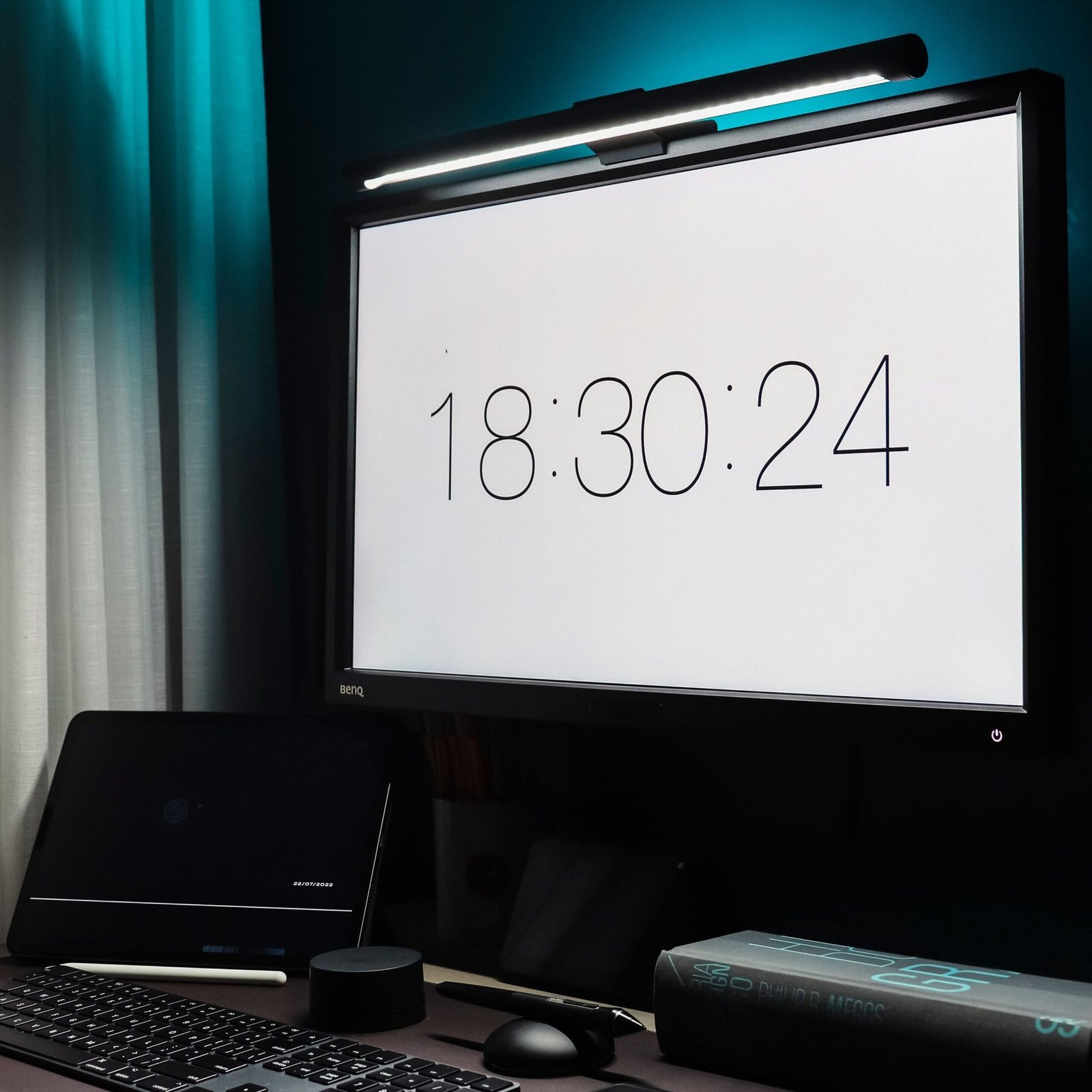
A monitor light bar uses asymmetric optics — a lens array that directs the light exclusively downward toward the desk surface at a calculated angle, with an optical cutoff that prevents light from reaching the screen behind it. BenQ’s own technical documentation describes this as the mechanism that produces “zero screen glare” — not a marketing phrase but a physical consequence of the asymmetric beam design.
The practical result: a monitor light bar illuminates the keyboard, desk surface, and hands without producing screen reflections. A desk lamp illuminates the broader area but requires careful positioning — and sometimes never achieves a fully glare-free result on a glossy or semi-gloss monitor surface.
Monitor Light Bars: What They Do Well and Where They Fall Short
The Advantages
The case for a monitor light bar in a computer-focused WFH setup comes down to four physical realities — none of them about aesthetics.
First: zero desk footprint. A monitor light bar clips to the top bezel of a monitor and occupies no horizontal desk surface area. For compact desks where surface area is a constraint, this is a meaningful functional advantage over a lamp base that occupies 4–6 square inches of usable space.
Second: centered beam placement. A desk lamp positioned to one side of a monitor produces an offset light source — brighter on the near side of the keyboard, dimmer on the far side, with a gradient that the visual system perceives as uneven illumination. TheWorkspaceHero’s independent comparison describes this directly: the monitor light bar delivers “a nicely feathered spotlight at the center of your desk” because the bar spans the full monitor width and projects downward evenly across the entire desk zone below it. The illumination is centered relative to the primary work surface regardless of where the lamp is physically positioned.
Third: zero screen glare by design. This is not a feature — it is a consequence of the asymmetric optical system. AttackShark’s April 2026 ergonomic lighting guide summarized the category consensus: “Light bars are better. They reduce glare, improve desk lighting, and lower eye strain, while desk lamps often cause reflections and shadows.”
Fourth: simplified cable management. Monitor light bars power from the monitor’s own USB port — one cable disappears into the monitor stand rather than running across the desk to a wall outlet. This is a minor organizational benefit with a real desk-tidiness payoff on compact setups.
The Honest Limitations
Monitor light bars are not appropriate for every situation. Three specific limitations that independent reviewers consistently flag:
Monitor compatibility is not universal. The BenQ ScreenBar Halo, for example, requires a bezel width of at least 0.25 inches and supports flat monitors with bezel thickness up to 2.36 inches, and curved monitors above 1000R. Monitors with unusual back geometry, very thin bezels, or certain OLED panel designs may not accommodate a light bar clip without an unstable mount. Verify your monitor’s bezel dimensions before purchasing.
Standing desk users face a specific risk. Eureka Ergonomic’s guide flags this: “This is more of a risk for taller users or when using a standing desk, so it’s crucial to test the setup at both sitting and standing heights.” When a monitor rises on a standing desk, the light bar rises with it — and at standing height, the beam angle may place the cutoff point at a different desk zone than at seated height. Test the beam coverage at both positions before committing.
They are not replaceable when they fail. TheWorkspaceHero’s comparison notes this plainly: “Monitor light bars do not have a replaceable light source.” A desk lamp with a failed bulb costs a few dollars to repair. A failed monitor light bar requires full replacement. BenQ rates their LEDs at 50,000 hours — at 8 hours per day, that’s approximately 17 years — but that rating doesn’t guarantee against electronic component failure. Reputable brands mitigate this with warranty coverage; budget brands may not.
Desk Lamps: What They Still Do Better
The Advantages
The desk lamp category is not obsolete, it is specifically superior in four distinct use cases that a monitor light bar can’t address.
Reading and paper-based work. A monitor light bar directs its beam downward from monitor height — optimal for a keyboard and a screen, less so for a printed document, sketchbook, or physical notebook positioned flat on the desk surface away from the monitor. A desk lamp with an adjustable arm positions the light source directly over and close to the reading material, producing the short-distance, high-intensity illumination that close-focus paper work requires. A light bar at monitor height illuminates paper at the same intensity as the keyboard — adequate, but not optimized for detailed reading or writing.
Multi-purpose desks. A desk used for both computer work and non-screen activities — crafting, drawing, studying, video calls with a ring light requirement — benefits from a lamp that can be repositioned across the desk surface as the task changes. A monitor light bar is fixed to the monitor and cannot be redirected. TheNoblePick’s 2026 comparison makes this distinction clearly: “Desk lamps remain a versatile option for reading, studying, and multi-purpose desks.”
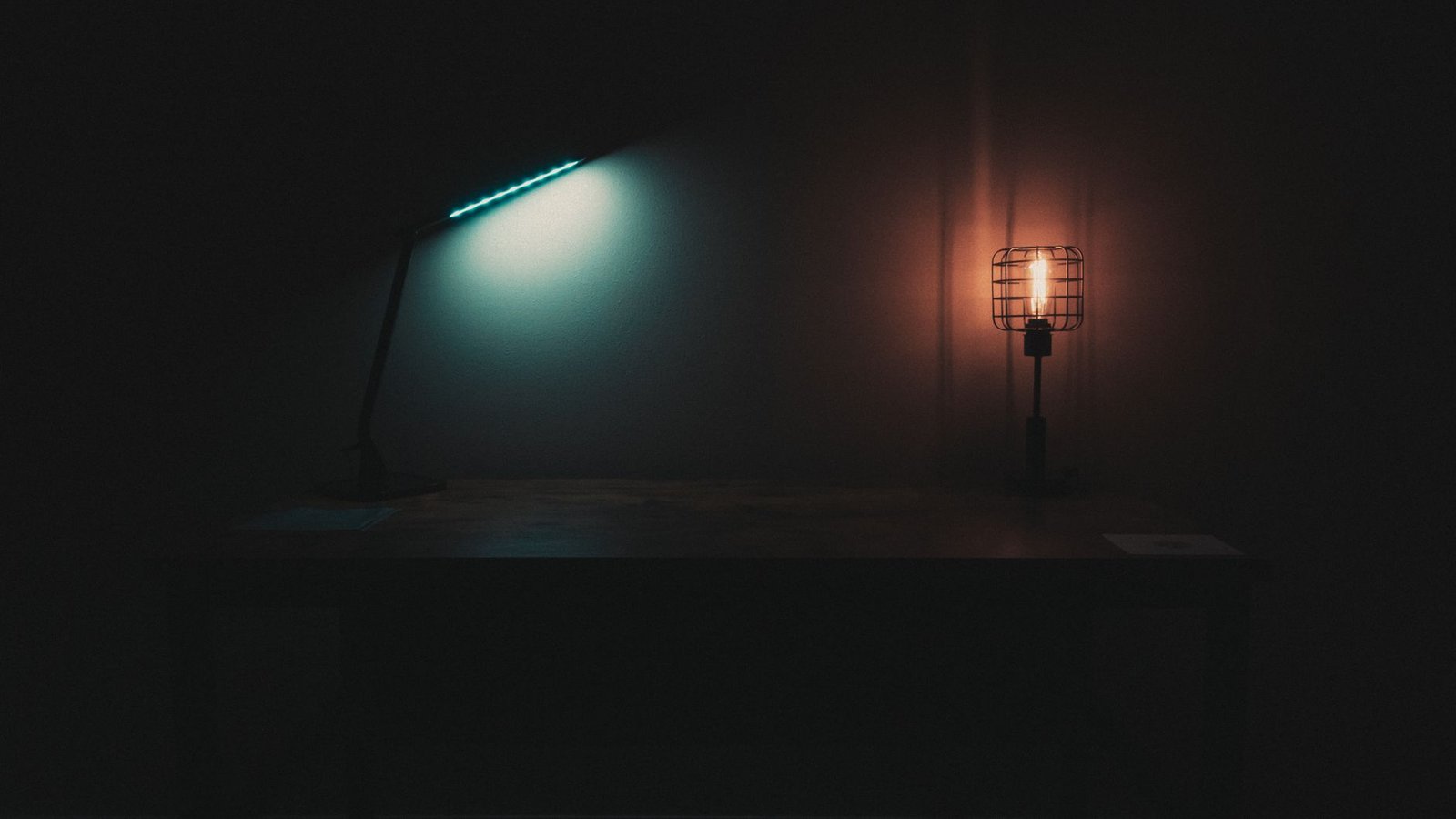
Aesthetic flexibility. Desk lamps exist in thousands of form factors, materials, and design languages — from Bauhaus-influenced metal task lamps to warm wood-base ambient lamps. Monitor light bars are industrial in profile: a functional bar on a clip, available in matte black or silver. For setups where the lighting object is itself part of the interior design — visible in a home background on video calls, part of a curated shelf or living room desk — a lamp has design range that no current light bar matches.
Lower cost of entry. Hirosart’s comparison notes the financial reality: “Traditional desk lamps are often more affordable and durable since they use replaceable bulbs.” A well-made LED desk lamp with color temperature control and brightness adjustment costs less than a mid-range monitor light bar in most cases, and the bulb replacement path removes the full-unit replacement cost at end of component life.
The Honest Limitations
A desk lamp positioned beside a monitor will produce some degree of screen reflection in nearly every configuration. The specific amount depends on monitor surface type (matte vs. glossy), lamp position (side vs. behind vs. above), and lamp brightness. A matte anti-glare monitor surface dramatically reduces visible reflection; a glossy monitor surface amplifies it. No desk lamp positioning fully replicates the glare-free guarantee of an asymmetric optical light bar.
Desk lamps also occupy surface area — a base footprint of 4–8 square inches on a desk that may already be crowded with peripherals, a power bank, a phone stand, and a pen holder. On a large desk this is irrelevant; on a compact desk it is a real constraint.
Head-to-Head: Monitor Light Bar vs. Desk Lamp
| Factor | Monitor Light Bar | Desk Lamp |
|---|---|---|
| Screen glare | ✅ Zero — asymmetric optics prevent screen-directed light | ⚠️ Variable — depends on lamp position and monitor surface type |
| Desk footprint | ✅ Zero — clips to monitor bezel | ❌ 4–8 sq. inches for lamp base |
| Beam centering | ✅ Centered across full monitor width | ⚠️ Offset — position-dependent, usually side-biased |
| Repositionability | ❌ Fixed to monitor — moves only with the monitor | ✅ Full repositioning — base and arm adjustable |
| Paper/reading work | ⚠️ Adequate from monitor height; not optimized | ✅ Optimized — arm positions light close to material |
| Monitor compatibility | ⚠️ Bezel size and geometry restrictions apply | ✅ Works with any monitor on any desk |
| Repairability | ❌ Full replacement when LED fails (50,000hr rated life) | ✅ Bulb replacement (LED variants also long-life) |
| Design variety | ⚠️ Limited — functional aesthetic, few form factors | ✅ Extensive — thousands of styles, materials, finishes |
| Cost of entry | ⚠️ Moderate to premium — quality bars start mid-range | ✅ Wide range — budget options widely available |
| Cable management | ✅ Single USB cable to monitor port — minimal cable run | ⚠️ Power cable to wall outlet — additional cable on desk |
Recommended Monitor Light Bars — Detailed Breakdown
1. BenQ ScreenBar Halo 2 — Best Monitor Light Bar for Serious Setups
Shop on Amazon →
The BenQ ScreenBar Halo 2 is the current iteration of the monitor light bar that AppleInsider’s reviewer describes as “one of the last things I’d pack and one of the first things I’d unpack” after moving twice while owning it. It does what the original ScreenBar does — asymmetric downward beam, no screen glare, USB powered — and adds a rear-facing bias light that illuminates the wall behind the monitor. That rear light reduces the contrast ratio between the bright monitor surface and the dark wall behind it — the specific visual load that causes eye fatigue during night sessions, where the eye is constantly adjusting between a bright foreground and a dark surround. Film Editing Pro’s comparative review of the ScreenBar Pro and Halo confirmed: “The Halo’s rear bias light is great” for users whose monitor sits against a plain wall.
The wireless rechargeable controller is the meaningful upgrade over the original ScreenBar — a palm-sized dial that sits on the desk and adjusts brightness and color temperature without reaching up to the bar itself. Peak brightness exceeds 1,000 lumens at the central desk zone, as verified in AppleInsider’s 2026 review. Color temperature spans 2700K to 6500K across the front beam and warm-to-cool adjustment on the rear bias light independently. The aluminum alloy construction reads premium — PCQuest’s 2025 review described “metallic gray aluminum alloy finish” and a hinge “strong enough to hold the light bar in place without wobbling.” Powered via USB-C; no power brick included.
Key Specs:
- Beam: Asymmetric front beam (downward, no screen glare) + adjustable rear bias light independently controlled
- Peak brightness: 1,000+ lumens at desk center — verified in AppleInsider’s March 2026 review
- Color temperature: 2700K–6500K front; warm-to-cool rear bias light
- Control: Wireless rechargeable desk controller — adjusts both light zones without touching the bar
View BenQ ScreenBar Halo 2 Details Here
2. BenQ ScreenBar — Best Entry-Level Monitor Light Bar
Shop on Amazon →
The original BenQ ScreenBar delivers the core monitor light bar value proposition without the Halo 2’s rear bias light or wireless controller. It is the correct choice for users who want asymmetric glare-free desk illumination without paying the premium for features they may not use. An integrated auto-dimming sensor reads ambient light and adjusts brightness automatically — a passive ergonomic benefit that most users leave on continuously. Film Editing Pro’s review confirmed a CRI (Color Rendering Index) of approximately 95 — meaning colors on the desk surface under the ScreenBar are rendered at near-natural accuracy, which matters for color-critical work like photo editing, illustration, and graphic design.
Controls are integrated into the bar itself — a touch-sensitive panel at the right end adjusts brightness and color temperature without a separate controller on the desk. Power comes from the monitor’s USB port via a short cable that routes neatly behind the monitor stand. Ben Frain’s independent review of the BenQ product line recommended the original ScreenBar for users who “want to keep your desk super clean” — the absence of a desk-side controller means one fewer object on the surface. Available in the standard 45cm length and a wider ScreenBar Pro variant for ultrawide monitors.
Key Specs:
- Beam: Asymmetric front beam — zero screen glare, centered across monitor width
- CRI: Approximately 95 — near-natural color rendering on desk surface
- Control: Touch panel on bar — no desk controller required
- Auto-dimming: Integrated ambient light sensor — passive brightness adjustment
View BenQ ScreenBar Details Here
3. Quntis Monitor Light Bar — Best Budget Monitor Light Bar
Shop on Amazon →
The Quntis monitor light bar delivers the functional core of asymmetric desk illumination at a lower price than the BenQ entry-level option — making it the recommendation for users who want to experience the category before committing to a premium product. The asymmetric beam design provides the same glare-prevention mechanism as the BenQ — light directed downward with an optical cutoff before the screen plane — verified in TheWorkspaceHero’s independent comparison, which cited the Quntis alongside BenQ and MELIFO as one of the light bars personally used and evaluated. Auto-dimming is included via a built-in ambient sensor. Color temperature range spans 3000K to 6000K in five steps with five brightness levels per step — 25 total combinations controlled via a touch dial on the right end of the bar.
The Quntis powers from any USB-A port on the monitor or a wall adapter — the same single-cable convenience as the BenQ. No driver installation, no app, no Bluetooth pairing required. The bar spans 15.7 inches — adequate for most 24 to 27-inch monitors — and mounts via a weighted counterweight clip with no adhesive contact to the monitor bezel. The lower price of the Quntis compared to the BenQ ScreenBar comes with a less premium build finish and a less refined optical output at the edges of the beam, but the core desk illumination and glare-prevention performance are functionally similar in the primary desk zone directly below the bar.
Key Specs:
- Length: 15.7 inches — fits 24 to 27-inch monitors
- Color temperature: 3000K–6000K in 5 steps; 5 brightness levels per step
- Auto-dimming: Integrated ambient sensor — passive brightness adjustment
- Power: USB-A to monitor port or wall adapter — no desk cable run required
View Quntis Monitor Light Bar Details Here
Recommended Desk Lamps — Detailed Breakdown
4. LED Desk Lamp — Best Desk Lamp for WFH and Multi-Use Desks
Shop on Amazon →
The LED desk lamp is the desk lamp most frequently recommended across home office and productivity communities for combined computer and non-screen desk use — and the reason is its control range. Five color temperature modes and seven brightness levels produce 35 distinct lighting combinations, covering the full spectrum from 2700K warm amber (suitable for evening work sessions and relaxed reading) to 6500K cool daylight (suitable for focused analytical work and color-accurate tasks). That range replaces multiple task lamps at different positions — one warm lamp for evenings and one cool lamp for daytime is a common two-lamp workaround that it resolves in a single unit.
A memory function retains the last used brightness and color temperature setting when the lamp is switched off and back on — eliminating the need to reconfigure the light every time it’s used. The articulating arm adjusts at the neck and head joints, providing horizontal reach and head-tilt control to position the light over specific desk zones — the left side for right-handed writing, the center for keyboard work, the right for a second document position. Touch controls on the base panel require a single press rather than a dial rotation, making adjustment fast during a session.
Key Specs:
- Color temperature: 5 modes — 2700K to 6500K
- Brightness: 7 levels — 35 total combinations
- Memory function: Recalls last brightness and color temperature on power-on
View LED Desk Lamp Details Here
5. LEPOWER LED Desk Lamp — Best Desk Lamp for Warm Aesthetic Setups
Shop on Amazon →
For setups where the desk is part of a designed interior — a living room, a home study, a warm minimalist workspace visible on video calls — the LEPOWER desk lamp is the recommendation. The lamp features a smaller overall footprint, making it more versatile for smaller desk setups.
Color temperature spans 3000K to 5000K across five steps, with five brightness levels per step. The 3000K output at maximum brightness produces warm, directional task light comparable to an Edison-style incandescent bulb without the heat output or replacement cycle. The articulating arm features a bendable neck, so the lamp can be positioned in multiple ways. A monitor light bar mounted on the same desk pairs naturally with the LEPOWER lamp: the light bar handles screen-adjacent keyboard illumination; the lamp provides warm ambient light for the broader desk zone and on-camera visual warmth for video calls.
Key Specs:
- Color temperature: 3000K–5000K in 5 steps; 5 brightness levels per step
- Arm reach: Approximately 14″ horizontal from base — 180° head tilt
View LEPOWER Lamp Details Here
The Decision Framework — Which One Is Right for Your Setup
Buy a monitor light bar if:
- Your desk is used primarily for screen-based work — coding, writing, design, video calls, gaming, or streaming
- Your monitor has a compatible bezel — check width (minimum 0.25 inches for most bars) and thickness before purchasing
- Desk space is constrained and every square inch of surface matters
- Screen glare is a current problem that repositioning the lamp has not solved
- You want a single USB cable between the light and the monitor as the full installation
Buy a desk lamp if:
- Your desk is multi-purpose — you regularly read physical documents, sketch, draw, or do non-screen work in the same space
- Your monitor is incompatible with light bar clips — unusual bezel geometry, very thin bezel, or OLED panel with specific mounting restrictions
- You use a standing desk and haven’t confirmed the light bar beam covers the desk zone at standing height
- The lamp is a visible design element in the room and aesthetic matters as much as function
- Budget is the primary constraint — a quality desk lamp costs less than a quality monitor light bar
Consider both if:
- You want the glare-free keyboard illumination of a monitor light bar for screen work and the warm ambient fill of a desk lamp for atmosphere and video call backgrounds — Many people combine both to create balanced desk lighting
- The Halo 2’s rear bias light still isn’t filling the full ambient zone of the room — a warm desk lamp positioned off to one side provides the broader ambient illumination the monitor light bar doesn’t generate
Final Verdict
For computer-focused work — which describes the majority of WFH setups — a monitor light bar is the technically superior lighting solution. The asymmetric optical system eliminates screen glare by design, the centered beam produces even illumination across the full desk zone, and the zero desk footprint removes a space constraint that desk lamps impose.
A desk lamp remains the correct tool for multi-purpose desks, incompatible monitors, aesthetic-driven setups, and budgets where a quality monitor light bar represents too large an investment for the lighting function alone — and the two are not mutually exclusive.
Looking for more desk setup ideas? Check out our article 5 Best Ergonomic Desk Accessories Under $150 for WFH Setups!
One response to “Monitor Light Bar vs. Desk Lamp: Which Is Best for Your Setup?”
[…] Looking for more tech guides? Check out our article on Monitor Light Bars vs Desk Lamps! […]