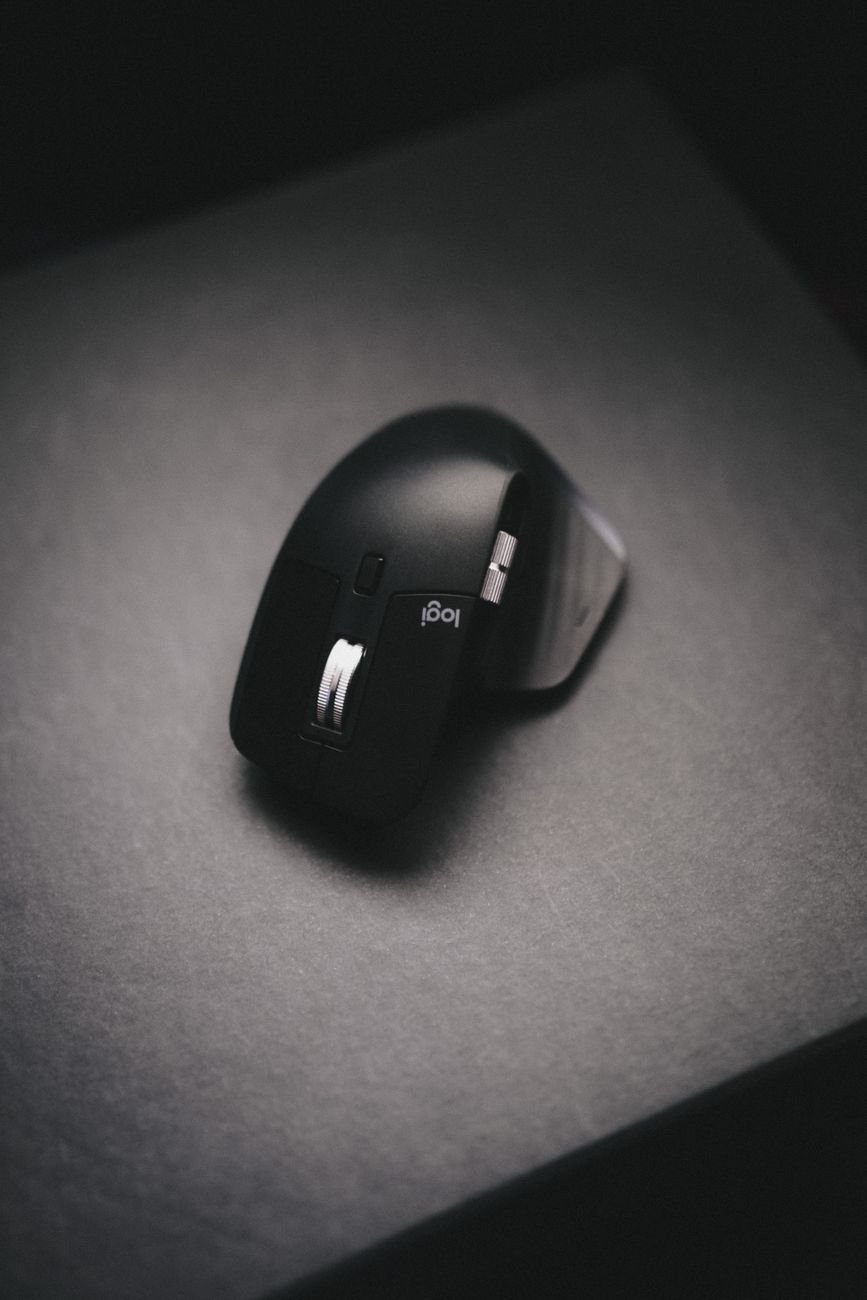
Disclosure: This post contains affiliate links. As an Amazon Associate, we earn from qualifying purchases at no extra cost to you.
Quick Links — Shop All Recommended Picks
- 🖱️ Vertical Ergonomic Mice:
- 🖱️ Standard Ergonomic Mice (Best of Class):
Your wrist hurts, your forearm is tight by 3pm. Working at your desk shouldn’t have to be a torturous endeavor. Surely there’s a solution, right?
The vertical mouse category has grown from niche ergonomic experiment to one of the fastest-growing mouse segments in 2026, and the growth is driven by one thing: the concept genuinely works for many people. But whether or not a vertical mouse is right for you depends on a variety of factors.
This guide explains the biomechanics, the clinical evidence, and the specific situations where a vertical mouse helps, and where a well-designed standard mouse is still the better answer.
Our Quick Picks: Top 3 At a Glance
- Best Overall Vertical Mouse: Logitech MX Vertical — The most recommended vertical mouse — a 57-degree handshake angle, 4,000 DPI sensor that reduces required hand movement approximately 4x versus a flat mouse, USB-C rechargeable battery rated at 4 months, and Logitech Flow multi-device switching across up to three computers.
Check Price on Amazon - Best for Small-to-Medium Hands: Logitech Lift Vertical Mouse — The same 57-degree angle and core ergonomic mechanism as the MX Vertical in a smaller body — the only mainstream vertical mouse with a dedicated left-handed version.
Check Price on Amazon - Best Standard Mouse Alternative: Logitech MX Master 3S — For users who want meaningful comfort improvement over a basic flat mouse without the vertical learning curve — an ergonomically sculpted right-hand shell, MagSpeed electromagnetic scroll wheel, 8,000 DPI sensor, and quiet switches.
Check Price on Amazon
The Biomechanics: Why Your Wrist Hurts With a Flat Mouse
The source of mouse-related wrist and forearm strain is not the mouse itself — it’s the forearm position the mouse requires. A standard flat mouse demands that your forearm rotate to a fully pronated position: palm facing down toward the desk surface, at approximately 160 to 180 degrees of forearm rotation. Our team’s ergonomic comparison describes the mechanical consequence directly: this position compresses the median nerve inside the carpal tunnel and loads the wrist tendons. Held for four to eight hours per day across a five-day work week, that compression accumulates into the chronic low-grade strain that most computer workers recognize as persistent wrist tightness, afternoon forearm fatigue, or occasional numbness in the index and middle fingers.
A vertical mouse addresses this at the structural level by rotating the mouse body 45 to 70 degrees — placing the hand in a neutral “handshake” orientation with the thumb facing upward and the palm facing inward. That position reduces forearm pronation to near zero. The tendons are no longer loaded under sustained rotational strain. The median nerve pressure is reduced. The muscular effort required to hold the wrist in position decreases. Logitech’s own laboratory testing measured a 10 percent reduction in muscular activity in the MX Vertical’s handshake grip compared to a standard flat mouse — not a dramatic figure in isolation, but compounded across thousands of daily inputs it represents a meaningful reduction in cumulative tissue load.
The American College of Occupational and Environmental Medicine reviewed the ergonomic mouse literature and concluded that switching to a vertical or trackball mouse represents a high-impact single intervention for mouse-related RSI. The science is not contested. The question is whether the specific design trade-offs of a vertical mouse are right for every user and every workflow.
Vertical Mouse: What the Research Says
What Vertical Mice Do Well
Forearm pronation eliminated by design. This is the core benefit and it is not incremental — the 57-to-70-degree grip angle of a vertical mouse physically removes the rotational load that causes most mouse-related RSI. Our team’s comparison confirms vertical mice reduce forearm pronation by up to 90 percent compared to flat mice. For users who already have wrist or forearm discomfort, our team noted that the wrist relief typically starts within the first few days, because of the more comfortable arm position.
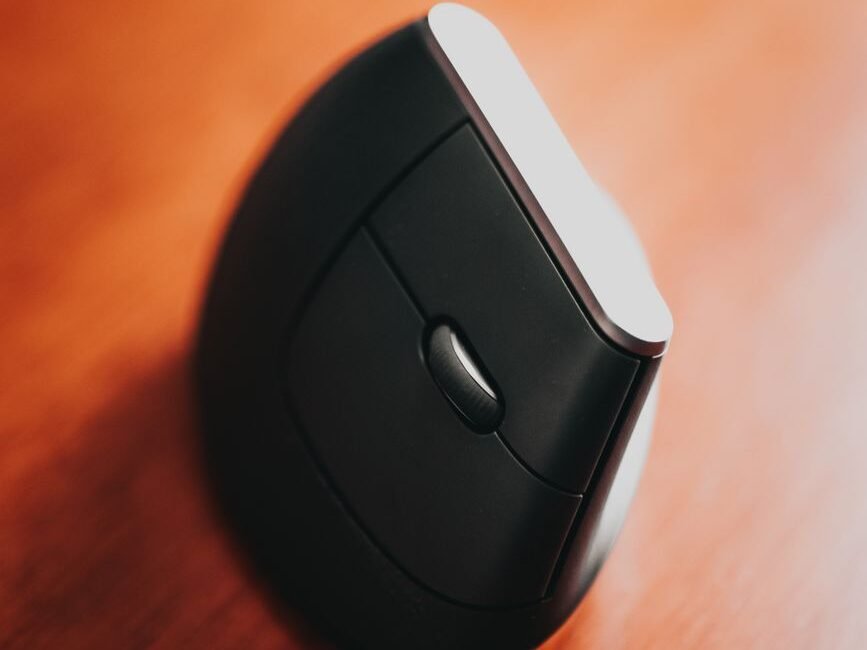
Grip fatigue reduced across long sessions. The vertical orientation means the weight of the hand is supported by the side of the palm and the desk surface rather than held up by sustained muscular effort against pronation. The mechanics work as follows: in a vertical grip, the palm carries the weight rather than the wrist tendons maintaining a held position. For users logging six to eight hours of daily mouse use, the cumulative fatigue difference is perceptible within the first week.
Precision is maintained at working DPI ranges. The concern that a vertical grip reduces cursor accuracy is common and largely unfounded at typical productivity DPI settings. Our team found 800–1,600 DPI is the productivity sweet spot on a 27-inch 4K monitor. At those settings, the Logitech MX Vertical’s 4,000 DPI sensor — which reduces required hand movement approximately 4x versus a flat mouse.
The Honest Limitations
The adjustment period is real and takes 1–2 weeks. Our team found: “Most users feel more comfortable within 3–7 days, while full adjustment can take up to two weeks. The adjustment period is about your brain relearning mouse movement patterns, not physical discomfort.” Cursor control feels imprecise in the first few days — this normalizes over time. Users who abandon vertical mice during the first week are not failing at the switch; they are stopping before the neural adaptation completes.
Competitive gaming is not the right use case. For competitive gaming, vertical mice are generally not recommended — the grip limits the ability for quick movement in fast-paced games, while adequate for productivity, lags behind dedicated gaming mice. The vertical form factor is optimized for sustained productivity sessions, not high-frequency directional input at 16,000+ DPI.
Hand size matching is critical — and buyers get it wrong frequently. The Logitech MX Vertical suits medium-to-large hands, whereas the Logitech Lift suits small-to-medium hands. Buying the wrong body size produces discomfort from overextension or cramping rather than the neutral grip the mouse is designed to deliver.
Budget models under approximately $25 are not recommended. The category genuinely needs approximately $50 to be worth the switch. Sub-$25 vertical mice from unfamiliar brands — build quality is lacking: wobbly buttons, sensor drift, plastic that creaks. The Seenda MOU-302 is our recommended exception at the budget tier — a specific, well-reviewed model at the low end that passes the build quality threshold, not a generic category endorsement.
Precise pixel-level work has a caveat. Our team notes that vertical mice produce slightly less precise control for pixel-level work — tasks like ultra-fine photo retouching, vector illustration work at extreme zoom, or any application where sub-pixel cursor accuracy at slow movement speeds is required. For these use cases, a sculpted standard mouse with a high-precision sensor at low DPI may outperform a vertical design.
Standard Mice: When They’re Still the Right Answer
A standard flat mouse is not inherently wrong. It is wrong for sustained, high-volume productivity sessions that load the same forearm position for four to eight hours without variation. For users who don’t currently have wrist or forearm discomfort, who use a mouse for less than three hours per day, or who require the precision profile of a high-DPI gaming sensor, a well-designed standard mouse remains the correct choice.
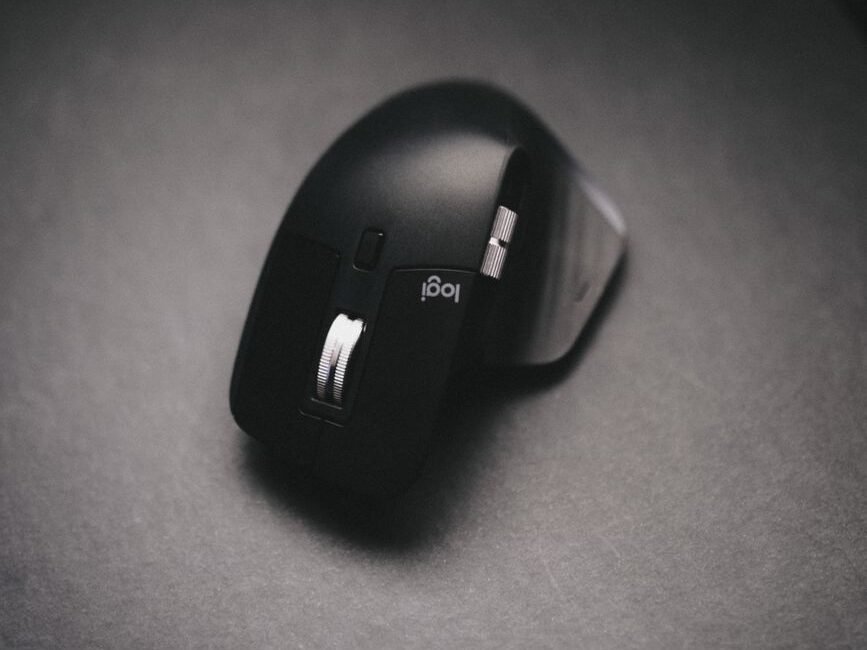
The key is “well-designed.” The ergonomic gap between a poor flat mouse and a sculpted one is as large as the gap between a flat mouse and a vertical one for many users. A right-handed sculpted shell with a proper thumb rest, a textured grip surface, and a sensor that doesn’t require high arm travel to control — the Logitech MX Master 3S is the benchmark — delivers meaningful comfort improvement over a generic flat mouse without requiring any adjustment period, any workflow disruption, or any relearning of cursor control patterns.
There is also a third option for users who want to reduce cumulative load further: A dual-mouse approach — vertical for primary work sessions, flat for precision tasks — is a practical solution that addresses the loading problem without fully replacing either tool.
Head-to-Head: Vertical Mouse vs. Standard Mouse
| Factor | Vertical Ergonomic Mouse | Standard Mouse |
|---|---|---|
| Forearm pronation | ✅ Eliminated — up to 90% reduction in forearm rotation | ❌ Full pronation sustained — root cause of most mouse RSI |
| Wrist strain relief | ✅ Measurable — begins within 3–7 days for most users | ⚠️ Variable — depends on mouse quality, wrist rest, desk height |
| Adjustment period | ⚠️ 1–2 weeks — cursor control imprecise until adaptation | ✅ None — familiar geometry from day one |
| Productivity precision | ✅ Adequate — no performance loss at 800–1,600 DPI | ✅ Full precision — no grip limitation |
| Pixel-level precision | ⚠️ Slight reduction for extreme zoom/retouching tasks | ✅ Uncompromised — preferred for fine creative work |
| Competitive gaming | ❌ Not recommended — grip limits rapid directional flicks | ✅ Optimized — grip and DPI range suit high-frequency input |
| Hand size flexibility | ⚠️ Must match body size to hand — wrong size causes discomfort | ✅ Wider range — many sizes and shapes available |
| Left-handed support | ⚠️ Limited — Logitech Lift and Evoluent VM4 have left-hand versions | ✅ Many ambidextrous and left-hand options available |
| Desk footprint | ⚠️ Larger — taller profile requires slightly more clearance | ✅ Compact — lower profile, smaller pad requirement |
| Cost of entry | ⚠️ Quality tier starts at approximately $50+ — budget models not recommended | ✅ Wide range — quality options from $35 upward |
Recommended Vertical Mice — Detailed Breakdown
1. Logitech MX Vertical — Best Overall Vertical Mouse
Shop on Amazon →
The Logitech MX Vertical is the starting point for any serious discussion of the vertical mouse category in 2026. It has held the top position for a while now — not because it’s the newest model, but because its combination of angle, sensor, connectivity, and software remains unmatched at its price tier. The 57-degree fixed grip angle positions the hand at Logitech’s documented “natural handshake position” — the measurement that corresponds to 10 percent reduced muscular activity compared to a flat mouse in Logitech’s own laboratory testing.
The 4,000 DPI sensor reduces required hand movement approximately 4x compared to a standard mouse at the same cursor speed — which means the physical displacement of the mouse across the pad is dramatically reduced, a secondary benefit for users with limited desk space or wrist mobility restrictions. Logitech Flow enables cursor switching between up to three computers — a feature that elevates the MX Vertical from a single-device ergonomic tool to a multi-device productivity platform for WFH setups with a personal and work machine on the same desk. USB-C rechargeable. Battery tested at approximately 4 months per charge cycle. Right-hand only. Suited to medium-to-large hands — small hands should select the Lift instead.
Key Specs:
- Grip angle: 57° fixed — Logitech’s documented natural handshake position; 10% muscular activity reduction in lab testing
- Sensor: 4,000 DPI optical — reduces required hand movement ~4x vs. flat mouse
- Connectivity: Bluetooth + Logi USB receiver — Easy-Switch across 3 devices; Logitech Flow multi-computer
- Power: USB-C rechargeable — approximately 4 months per charge; right-hand only, medium-to-large hands
View Logitech MX Vertical Details Here
2. Logitech Lift Vertical Mouse — Best for Small/Medium Hands
Shop on Amazon →
The Logitech Lift shares the MX Vertical’s 57-degree grip angle and core ergonomic mechanism in a smaller body calibrated for small-to-medium hands — the users who find the MX Vertical produces finger overextension that counteracts the ergonomic benefit. Our team found it to be the best value in the vertical mouse category for the combination of refined learning curve, ergonomic design, and the only left-handed version in a mainstream vertical mouse.
Battery life is rated at 24 months on a single AA — significantly longer than the MX Vertical’s 4-month rechargeable cycle. That difference matters to users who travel with the mouse or use it across locations, where charging access is unpredictable. The left-handed graphite version uses a purpose-built left-hand body geometry — not a mirrored afterthought — making it one of very few vertical mice that serves left-handed users with a properly designed grip. Quiet SmartWheel scrolling operates in two modes: line-by-line precision and free-spin fast scroll. Connects via Bluetooth Low Energy or the included Logi Bolt USB receiver — Easy-Switch across up to three devices. Available in graphite, off-white, rose, and left-hand graphite.
Key Specs:
- Grip angle: 57° — same ergonomic mechanism as MX Vertical, smaller body for small-to-medium hands
- Battery: 1× AA — approximately 24-month rated life; left-handed version available
- Connectivity: Bluetooth Low Energy + Logi Bolt USB — Easy-Switch up to 3 devices
- Scroll: Quiet SmartWheel — line-by-line precision and free-spin fast scroll modes
View Logitech Lift Vertical Mouse Details Here
3. Evoluent VerticalMouse 4 — Best for Large Hands and Maximum Tilt
Shop on Amazon →
The Evoluent VerticalMouse 4 is the original vertical mouse — Evoluent pioneered the category — and it remains the recommendation for two specific buyer profiles: users with large hands who find the Logitech options cramped, and users who have already tried a 57-degree vertical mouse and need a steeper tilt angle for their specific wrist anatomy. The Evoluent’s angle is steeper than the MX Vertical’s 57 degrees — pushing the grip closer to fully upright and providing a more aggressive forearm rotation reduction for users whose neutral wrist position sits at a different angle than the Logitech standard.
A dedicated pinky shelf — a physical ledge on the right side of the mouse body — supports the ring and pinky fingers in a natural resting position. Available in wired, wireless (USB dongle), and Bluetooth variants — the wireless variant is the most commonly stocked on Amazon.
Key Specs:
- Grip angle: Steeper than 57° — more aggressive forearm rotation reduction for specific anatomical needs
- Pinky shelf: Dedicated physical ledge for ring and pinky finger support — addresses finger discomfort not resolved by standard vertical design
- Buttons: 6 fully programmable — via Windows-centric software; macOS compatibility limited
- Variants: Wired, wireless USB dongle, and Bluetooth — right-hand and left-hand versions available
View Evoluent VerticalMouse 4 Details Here
4. Seenda MOU-302 — Best Budget Entry Into the Vertical Mouse Category
Shop on Amazon →
Despite its lower price point, the Seenda MOU-302 performs very well. We’ve named it our best budget ergonomic pick — specifically for its upright vertical form factor, quiet mechanical switches, a media control knob that adds volume and playback control without software, and a wireless connection that doesn’t exhibit the dongle-connection inconsistency common to generic budget mice.
The Seenda MOU-302 is the correct purchase for one specific buyer: someone who wants to test whether the vertical mouse form factor suits their hand and workflow before committing to the MX Vertical’s price tier. If the vertical grip doesn’t work for your hand anatomy, you’ve spent significantly less finding out. If it does work, you have a functional wireless vertical mouse while you decide which premium option to invest in. The media control knob on the left side of the mouse — a feature absent from both Logitech options — adds a hardware scroll control that some users genuinely prefer for document navigation and video playback without a keyboard shortcut.
Key Specs:
- Connection: 2.4GHz wireless USB dongle — reliable budget-tier wireless, no Bluetooth
- Switches: Quiet mechanical — reduced click noise versus standard mechanical buttons
- Media knob: Dedicated hardware volume and playback control — no software required
- Use case: Entry-level trial of the vertical form factor — not a long-term replacement for the Logitech tier
View Seenda MOU-302 Details Here
The Standard Mouse Alternative — If You’re Not Ready for Vertical
5. Logitech MX Master 3S — Best Standard Mouse for WFH Comfort
Shop on Amazon →
Not every wrist problem requires a vertical mouse. For users who do not have active RSI symptoms but want a meaningful comfort upgrade over a basic flat mouse — or who need the precision of a standard grip for creative or competitive work — the Logitech MX Master 3S is the benchmark.
The MagSpeed electromagnetic scroll wheel is the MX Master 3S’s defining feature — an electromagnetically controlled flywheel that switches automatically between precise ratchet scrolling and frictionless free-spin at up to 1,000 lines per minute. Seven programmable buttons, an 8,000 DPI Darkfield sensor that tracks on glass, and 90% quieter clicks than standard mouse switches complete a specification that has made it stand out among its competitors. Connects via Bluetooth or Logi Bolt across up to three devices with Logitech Flow multi-computer support. Battery rated at 70 days per USB-C charge. Right-hand only, suited to medium-to-large hands.
Key Specs:
- Scroll: MagSpeed electromagnetic wheel — ratchet and free-spin auto-switching, up to 1,000 lines per minute
- Sensor: 8,000 DPI Darkfield optical — tracks on glass; 90% quieter clicks than standard switches
- Connectivity: Bluetooth + Logi Bolt — Easy-Switch 3 devices; Logitech Flow multi-computer
- Power: USB-C rechargeable — approximately 70 days per charge; right-hand only
View Logitech MX Master 3S Details Here
Is the Switch Worth It?
Switch to a vertical mouse if:
- You currently have wrist tightness, forearm fatigue, or any early symptoms of repetitive strain injury — the ergonomic benefit is measurable and begins within the first week
- You use a mouse for more than 4 hours per day in a productivity context — the cumulative load reduction compounds significantly at this usage level
- You are willing to accept a 1–2 week adjustment period where cursor control feels unfamiliar — the relief arrives before full adaptation does
- Your hand size matches a specific model: medium-to-large hands for the MX Vertical, small-to-medium for the Lift, large hands for the Evoluent
- You want to try the form factor at low cost before committing — the Seenda MOU-302 is the specifically recommended budget test
Stay with a standard mouse if:
- You don’t currently experience wrist or forearm discomfort and use the mouse for less than 3 hours per day
- Your primary use case is competitive gaming — the vertical grip limits rapid directional flicks and the DPI ceiling lags gaming-optimized hardware
- Pixel-level precision is critical to your workflow — photo retouching, vector illustration, or any task requiring sub-pixel cursor accuracy at extreme zoom
- You are left-handed and neither the Logitech Lift left-hand version nor the Evoluent VM4 left-hand variant fits your hand size
- You want the best standard mouse comfort upgrade without a learning curve — the MX Master 3S is the specific recommendation
Consider using both if:
- You want to vary grip angle through the day to distribute muscular load across different positions
- You need precision for occasional creative tasks but want the ergonomic benefit of a vertical grip for primary document and email work
⚠️ One Common Mistake: The Wrist Rest
Gel wrist rests bundled with “ergonomic mouse pads” are a common desk accessory — and they are contraindicated for vertical mouse use. NIOSH (National Institute for Occupational Safety and Health) guidance says: “Resting your wrist while mousing increases compression at the carpal tunnel rather than reducing it.”
If you are switching to a vertical mouse, remove the wrist rest from your mouse pad. The correct posture is a floating wrist — the palm resting lightly on the mouse body with the wrist elevated above the desk surface, not pressed into a gel pad. This is the opposite of the instinct most users bring from flat mouse use, and getting it wrong significantly reduces the ergonomic benefit of the switch.
Final Verdict
For users who spend four or more hours per day at a mouse in a productivity context — and especially for anyone already noticing wrist tightness or afternoon forearm fatigue — switching to a vertical mouse is one of the highest-impact single ergonomic changes available. The clinical evidence is consistent, the adjustment period is finite and manageable, and the benefit starts arriving before the adaptation is complete. The Logitech MX Vertical is the right starting point for medium-to-large hands; the Lift is the right starting point for smaller hands and left-handed users.
For users without current discomfort, for competitive gamers, and for anyone whose workflow requires pixel-level cursor precision, a well-designed standard mouse — the MX Master 3S specifically — is the correct upgrade that delivers meaningful comfort improvement without any of the vertical mouse’s trade-offs.
Looking for the perfect keyboard to pair with your new mouse? Check out our article detailing the Best Mechanical Keyboards!
2 responses to “Vertical Ergonomic Mouse vs. Standard Mouse (Is It Worth the Switch?)”
[…] Looking for more setup guides? Check out our article comparing a vertical ergonomic mouse vs. standard mouse! […]
[…] Looking for more setup guides? Check out our guide on which mouse to pair with your keyboard: vertical ergonomic mouse vs. standard mouse! […]