By the Slatewave Team
FTC Affiliate Disclosure: Slatewave is reader-supported. Some links in this article are affiliate links, which means we may earn a small commission if you buy something through them — at no extra cost to you.
Quick Links: Our Top Picks
Short on time? Here’s the cheat sheet. We break down the “why” further down the page.
| Category | Our Pick | Best For |
|---|---|---|
| 🏆 Premium 65% | Keychron K6 | Compact wireless board with a long battery life |
| 💰 Budget 65% | Royal Kludge RK68 | Full 65% feature set at an entry-level price |
| 🏆 Premium TKL | Keychron K8 Pro | Hot-swappable, Mac/PC switchable, wireless or wired |
| 💰 Budget TKL | Royal Kludge RK87 Pro | Gaming-ready TKL with VIA/QMK support |
Does Keyboard Size Actually Matter for Your Desk?
Short answer: Yes, more than most people expect. Keyboard layout affects two things at once — how much desk space you have left for your mouse, and how much your wrist has to travel to hit navigation and function keys. Full-size keyboards are the default most people grow up using, but once you compare a 65% or TKL layout side-by-side on the same desk, the extra inches of wasted space (and wasted wrist movement) become obvious.
The confusing part is that “65%” and “TKL” both get lumped into the same “compact keyboard” conversation online, even though they solve slightly different problems. Let’s break down exactly what each layout gives up, and what it gives you in return.
The Core Difference: What Each Layout Actually Removes
TKL (Tenkeyless)
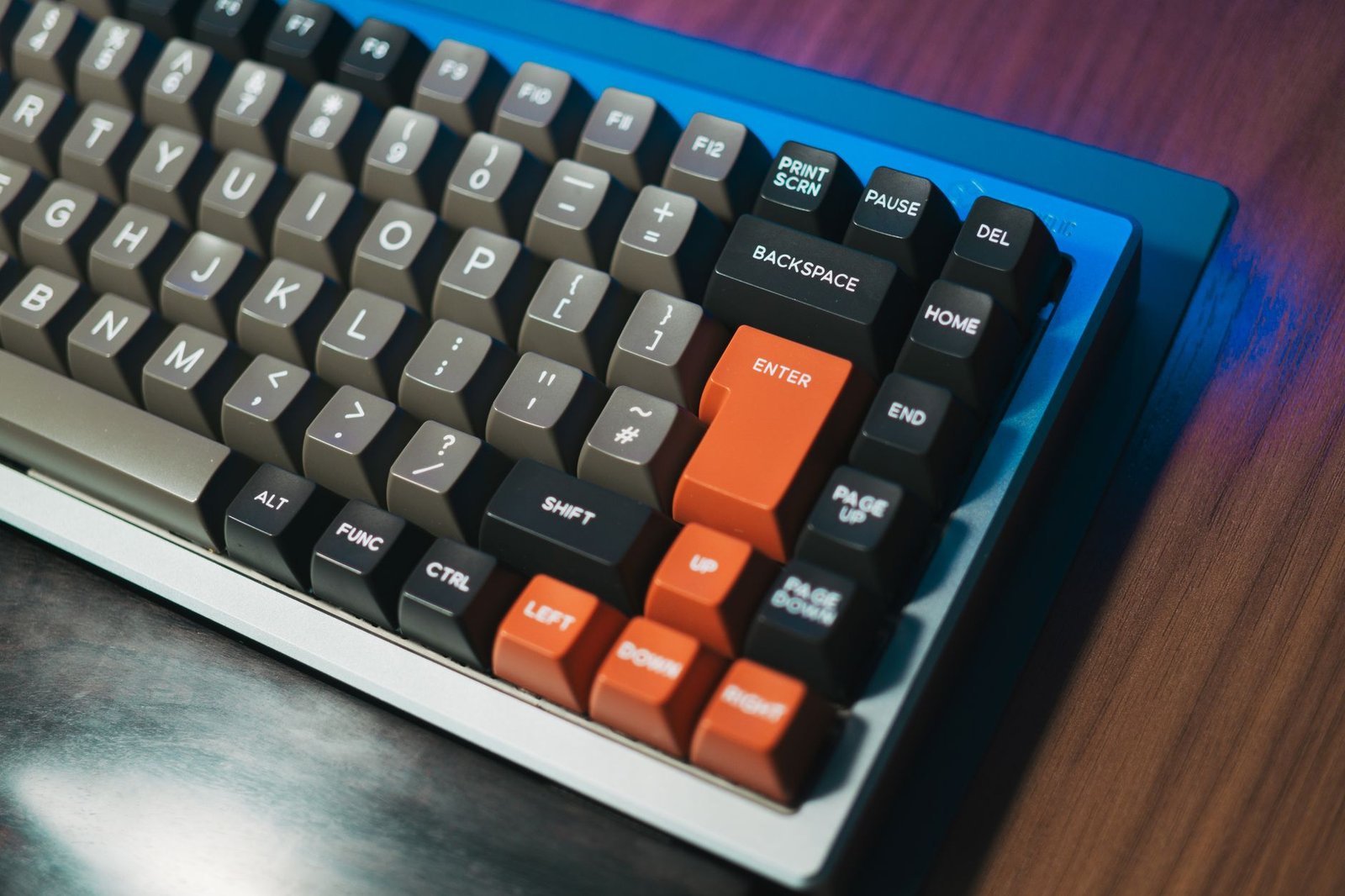
A TKL keyboard removes the numpad and nothing else. You keep the full function row (F1–F12), the full navigation cluster (Home, End, Page Up/Down, Insert, Delete), and dedicated arrow keys — everything except the number pad on the right side. TKL is typically around 87 keys, compared to 104 on a full-size board.
65%
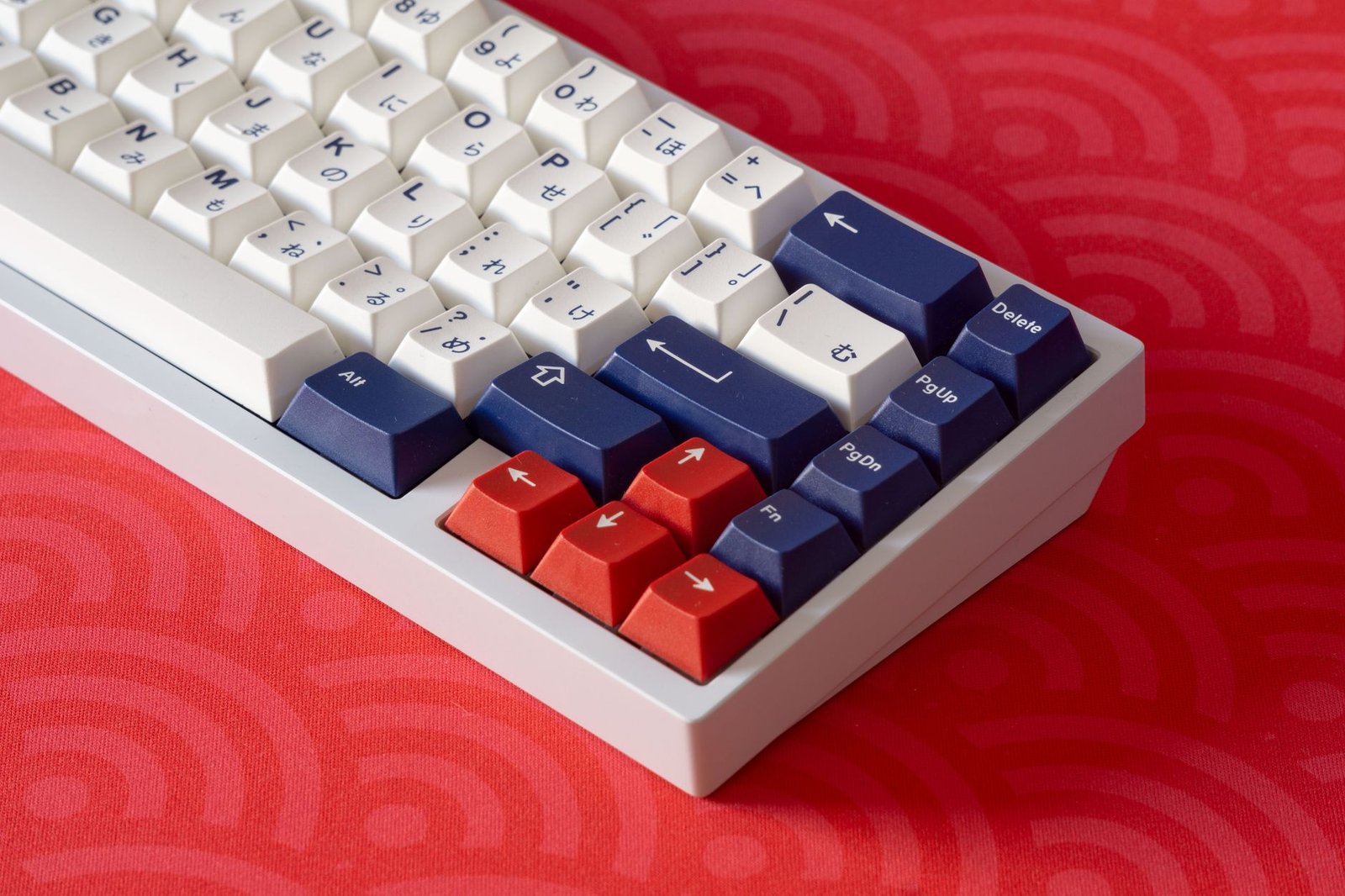
A 65% keyboard goes further: it removes the numpad and the function row, keeping only dedicated arrow keys and a condensed navigation cluster (usually Delete, Home, and Page Up/Down, accessed via a function/Fn layer rather than dedicated keys). A 65% board typically lands around 65–68 keys — hence the name.
In short: TKL trims one thing (the numpad). 65% trims two (the numpad and the function row), which is why it’s noticeably smaller on a desk than TKL, but asks more of your muscle memory for function keys.
What Our Testing Found
Our team used a TKL board for a week of normal work, then switched to a 65% board for a second week, tracking two things: how much mouse space opened up, and how often a missing key actually caused friction. The desk space gain from TKL to 65% was real but modest — a couple extra inches of mouse room. Function-row muscle memory was the bigger adjustment: media keys and F-row shortcuts (volume, brightness, F5 refresh) needed a Fn-layer combo on the 65% board, and that took a few days to stop reaching for a key that wasn’t there.
Desk Footprint & Mouse Space: Head-to-Head
TKL
- Removes roughly 4–5 inches of width compared to full-size (the numpad’s footprint)
- Keeps the full function row and dedicated navigation cluster — no learning curve for existing full-size keyboard users
- Typical width: around 14.5–15 inches
65%
- Removes the numpad’s width plus roughly another inch by compressing the function row and navigation cluster
- Typical width: around 12–13 inches — noticeably shorter end-to-end than TKL
- Frees up more mouse space on a shallow desk, which matters more on compact or standing desks than on a deep, full-size desk
Function Keys & Navigation: What You Actually Give Up
TKL Trade-Off
The only real trade-off with TKL is losing quick number entry via the numpad — which matters a lot for spreadsheet-heavy work and barely at all for writing, coding, or general browsing. Everything else (function keys, arrows, navigation cluster) works exactly like a full-size board.
65% Trade-Off
65% boards ask you to learn a secondary “Fn layer” — holding a function key to access F1–F12, media controls, and sometimes even Home/End/Page Up/Down, depending on the specific board’s layout. Most 65% boards are programmable (via QMK/VIA software or a similar system) so you can remap this layer to match how you actually use your keyboard, but out of the box there’s a short adjustment period for anyone used to dedicated function keys.
Our take: if you regularly use F-key shortcuts (F5 to refresh, F11 for fullscreen, media keys for volume), TKL keeps that muscle memory intact. If you rarely touch the function row and care more about desk space and a shorter reach to your mouse, 65% is worth the short learning curve.
65% vs. TKL: Side-by-Side Comparison
| Feature | TKL (Tenkeyless) | 65% |
|---|---|---|
| Key count | ~87 keys | ~65–68 keys |
| Numpad | Removed | Removed |
| Function row (F1–F12) | Present, dedicated | Accessed via Fn layer |
| Dedicated arrow keys | Yes | Yes |
| Navigation cluster | Full (Home, End, Page Up/Down, Insert, Delete) | Condensed, often via Fn layer |
| Typical width | ~14.5–15 in. | ~12–13 in. |
| Learning curve | Minimal | Short adjustment for Fn-layer keys |
| Best for | Users who rely on F-keys and full navigation | Users who want max desk space and minimal reach |
| Common use case | General productivity, coding, light gaming | Gaming, minimalist desks, travel/portability |
Common Mistakes to Avoid
⚠️ Before You Buy: Check These First
- Jumping straight to 60% instead of 65% if you need arrow keys: 60% keyboards remove arrow keys entirely, accessed only via a Fn layer. If you’re downsizing for the first time, 65% is the safer step down — it keeps dedicated arrows.
- Buying 65% without checking if it’s programmable: Not every budget 65% board ships with QMK/VIA or equivalent remapping software. If you plan to customize the Fn layer to match your workflow, confirm the board supports it before buying.
- Assuming TKL solves a mouse-space problem: TKL only removes the numpad — if your real goal is maximum mouse room on a shallow desk, 65% delivers a bigger space gain than TKL does.
- Ignoring switch type for all-day typing: Layout size doesn’t determine typing feel — switch type does. A 65% board with loud, heavy switches can be worse for shared office or video-call environments than a full-size board with quiet linear switches.
- Not checking Mac/PC switch compatibility: Some boards (like Keychron’s K-series) include a physical Mac/Windows switch and swappable keycaps; others are PC-only out of the box. Check this before buying if you switch between operating systems.
Recommended Product Picks
65% Keyboards
🏆 Premium Pick: Keychron K6 A compact wireless 65% board with a sizable battery (rated for weeks of use with the backlight off) and Keychron’s hot-swappable switch sockets, so switches can be changed without soldering. Includes both Bluetooth and USB-C wired connectivity, plus a physical Mac/Windows switch and keycaps for both.
Check Current Price on Amazon →
💰 Budget Pick: Royal Kludge RK68 A full-featured 65% board — dedicated arrow keys plus a condensed navigation cluster — at a notably low price point. Offers both wired and wireless connectivity and hot-swappable switches, making it an easy entry point into the 65% layout without a big financial commitment.
Check Current Price on Amazon →
TKL Keyboards
🏆 Premium Pick: Keychron K8 Pro A wireless/wired TKL board with QMK/VIA programmability, hot-swappable switch sockets, and Keychron’s Mac/Windows switch with keycaps for both included in the box. A strong all-around pick for anyone who wants the full TKL key set without giving up customization.
Check Current Price on Amazon →
💰 Budget Pick: Royal Kludge RK87 Pro A TKL board built with gaming and typing both in mind, with VIA/QMK support for remapping and a hot-swappable PCB. A strong value pick for anyone who wants the full function row and navigation cluster at a lower price than premium TKL boards.
Check Current Price on Amazon →
Our Verdict
Neither layout is objectively “better” — they trade desk space for different amounts of convenience. TKL is the safer, lower-friction downsize: you lose the numpad and nothing else, so there’s almost no adjustment period. 65% goes further, trading the function row for meaningfully more desk space and a shorter reach to your mouse, at the cost of a short learning curve on the Fn layer.
If you’re numpad-heavy for data entry but still want some space savings, start with TKL. If you rarely touch F-keys and want the smallest practical footprint without losing arrow keys, 65% is worth the adjustment.
Looking for more setup guides? Check out our guide on which mouse to pair with your keyboard: vertical ergonomic mouse vs. standard mouse!
Slatewave tests desk gear the way we’d actually use it — on real desks, over real workdays. Have questions about picking a layout for your specific setup? Drop them in the comments.